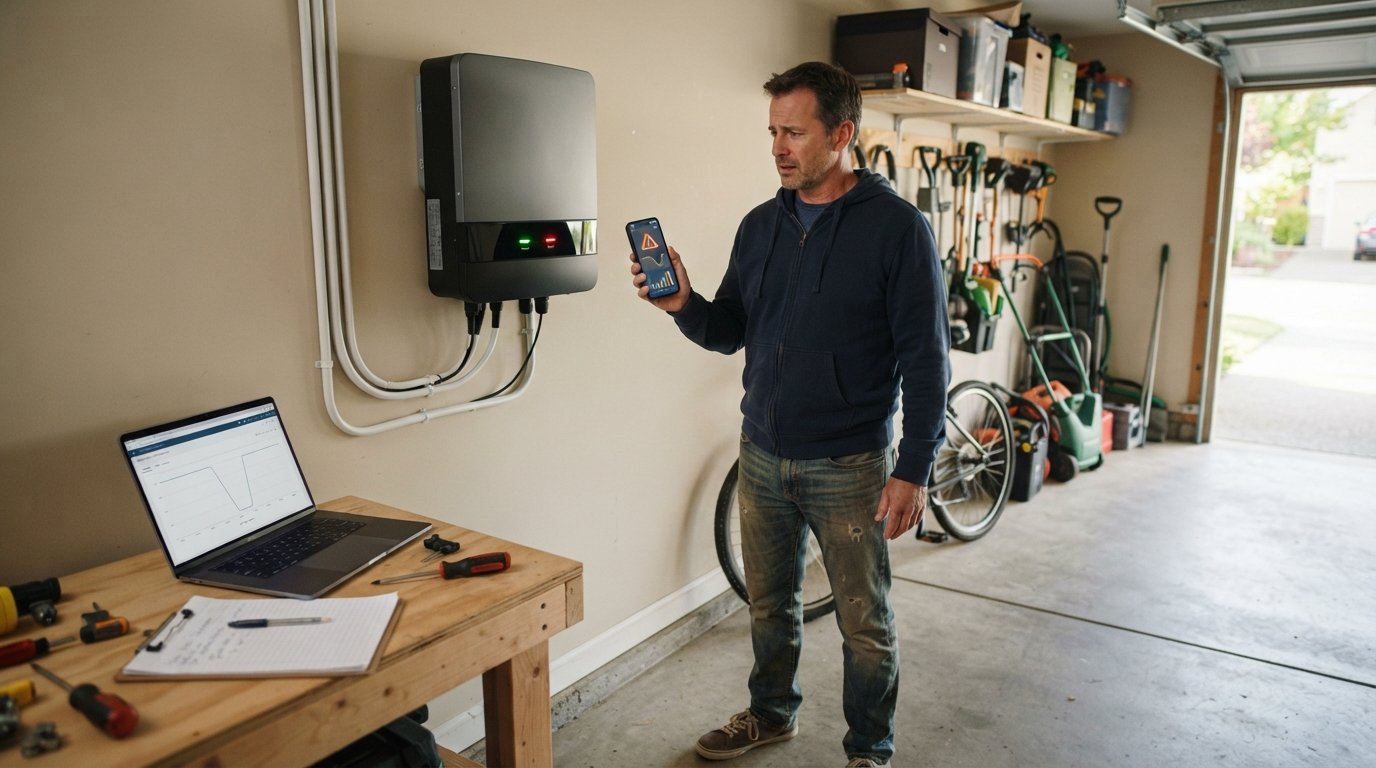
Solar Inverter Monitoring Alerts and Error Codes Explained
Solar inverter monitoring alerts and error codes can confuse any homeowner. Learn what common codes mean and how to respond fast to protect your savings.

By Andy Pearson
Learn more about Solar Panel Installation and Repair for guides, costs, and what to expect.
Compare Solar Panel Installation and Repair Pros Near You
Enter your ZIP code to compare top-rated local professionals and request free quotes.
Your solar panels may be soaking up the sun, but if the inverter is flashing a cryptic error code, your system could be silently losing money. Inverter issues account for a significant share of solar system downtime, and many homeowners do not realize a problem exists until they see an unexpected jump in their utility bill. Understanding solar inverter monitoring alerts and error codes helps you act fast, protect your investment, and keep your renewable energy system producing at full capacity. Whether you monitor through a mobile app or a web portal, knowing what those alerts mean is the first step toward a quick fix.
Why Inverter Monitoring Matters for Your Solar Investment
The inverter is the brain of your solar power system. It converts the direct current (DC) electricity produced by your panels into alternating current (AC) that your home and the grid can use. When the inverter stops working, your entire system stops producing, even if every panel is in perfect condition. That is why monitoring is not a luxury; it is a necessity for anyone who wants to maximize savings and avoid surprise repair bills.
Modern inverters come with built-in monitoring capabilities. They track power production, voltage, frequency, temperature, and other performance metrics. When something falls outside normal parameters, the system generates an alert. These alerts can be as simple as a notification that your system is offline, or as specific as an error code indicating a ground fault or grid instability. Without monitoring, you might not notice a drop in production for weeks or months, losing hundreds of dollars in lost energy credits or savings. To get a deeper understanding of how inverters function and why they are critical to your energy savings, you can read our guide on what is solar inverter function.
Monitoring also helps you distinguish between a temporary glitch and a serious fault. A single low-voltage alert on a cloudy day is normal. But repeated fault codes or a persistent communication error often point to a hardware problem that requires professional attention. By paying attention to alerts, you can document issues, communicate clearly with your installer, and ensure repairs are done under warranty when applicable.
Common Solar Inverter Monitoring Alerts and What They Mean
Most inverter manufacturers use a standard set of alert categories, though the exact wording may vary. Understanding these categories helps you respond appropriately. Below are the most frequent alerts you will see in a monitoring portal or app, along with their typical causes.
- System Offline: The inverter is not communicating with the monitoring platform. This could be due to a Wi-Fi outage, a tripped breaker, or a hardware failure.
- Low Power Production: The system is generating less energy than expected. Causes include shading, dirty panels, or a failing inverter component.
- Grid Fault: The inverter detected an issue with the utility grid, such as voltage or frequency outside the acceptable range. The inverter may shut down temporarily to protect itself.
- Ground Fault: A safety alert indicating current is leaking to the ground. This requires immediate attention as it can be a fire hazard.
- Arc Fault: Similar to a ground fault, this indicates a dangerous electrical arc in the DC wiring. The inverter will shut down and may need to be reset by a professional.
- Temperature Alert: The inverter is overheating, often due to poor ventilation or direct sunlight. It may derate production until it cools down.
Each of these alerts may come with a specific error code. For example, a "Grid Fault" might be accompanied by code "F08" or "E05" depending on the brand. Your inverter manual or manufacturer's website will have a full list of codes. If you do not have the manual, a quick search with your inverter model and the error code usually yields a detailed explanation.
It is important to note that not all alerts require a service call. Some, like a grid fault during a storm, may clear on their own once the grid stabilizes. Others, like a ground fault, should never be ignored. When in doubt, contact your installer or a certified solar professional. They can remotely diagnose many issues and tell you whether a site visit is necessary.
Decoding Common Inverter Error Codes
Error codes are the inverter's way of telling you exactly what is wrong. While codes vary by manufacturer (SMA, SolarEdge, Enphase, Fronius, and others each have their own numbering systems), many codes fall into similar categories. Here are some of the most common error code types and their meanings.
Grid-Related Error Codes
Grid-related codes are among the most frequent. They occur when the inverter detects that the utility grid's voltage or frequency is outside the safe operating range. This can happen during storms, brownouts, or when the grid is overloaded. Common codes include "Grid Overvoltage," "Grid Undervoltage," "Grid Frequency High," and "Grid Frequency Low." In most cases, the inverter will automatically restart once the grid returns to normal. If the codes persist, contact your utility company, as the issue may be on their end.
Another common grid-related code is "Islanding" or "Anti-Islanding." This is a safety feature that prevents the inverter from feeding power into the grid when the grid is down, protecting utility workers. If you see this code, it means the inverter has detected a grid outage and has shut down as designed. It will resume when the grid is back.
DC and AC Fault Codes
DC-side faults often relate to the solar panels, wiring, or combiner box. Codes like "DC Overvoltage," "DC Undervoltage," "DC Reverse Polarity," and "Ground Fault" fall into this category. DC overvoltage can occur on cold, sunny days when panel voltage spikes. DC undervoltage might indicate a problem with a panel string or a blown fuse. Ground faults are serious and should be investigated immediately by a professional.
AC-side faults relate to the output of the inverter. Codes such as "AC Overvoltage," "AC Undervoltage," "AC Overcurrent," and "AC Frequency Fault" indicate issues with the alternating current side. These can be caused by loose wiring, a faulty breaker, or grid instability. Again, some are temporary, but persistent AC faults warrant a call to your installer.
Hardware and Temperature Codes
Hardware-related codes point to internal inverter problems. Examples include "Internal Fan Fault," "Memory Error," "Relay Failure," and "Temperature Sensor Fault." These codes almost always require professional service. Temperature codes, such as "Over Temperature" or "Derating due to High Temperature," are more common in hot climates. Ensuring proper clearance around the inverter and avoiding direct afternoon sun can help prevent these alerts.
If you see a hardware code, do not attempt to open the inverter yourself. Inverters contain high-voltage capacitors that can be lethal even after the power is disconnected. Always rely on a licensed solar technician. Many manufacturers offer extended warranties, so check your warranty terms before scheduling a repair.
How to Respond to Monitoring Alerts: A Step-by-Step Framework
When you receive an alert, a calm, systematic approach saves time and money. Follow these steps to diagnose and resolve the issue efficiently.
- Check the alert details: Log into your monitoring portal or app and read the full alert message and any associated error code. Note the time and date it occurred.
- Look for patterns: Is this a one-time event or a recurring alert? Did it happen during a storm or heatwave? Patterns help identify the root cause.
- Perform a basic visual inspection: If safe to do so, check that the inverter is receiving power, the display is on, and there are no obvious signs of damage, such as burn marks or a tripped breaker.
- Consult your manual or online resources: Look up the error code in your inverter manual or the manufacturer's website. Many provide troubleshooting steps you can try, such as resetting the inverter.
- Contact your installer or a certified professional: If the issue persists or involves a safety code (ground fault, arc fault), call a professional. Provide them with the alert details and error code to speed up the diagnosis.
Following these steps helps you avoid unnecessary service calls while ensuring serious issues are addressed promptly. Remember, your installer may be able to diagnose and even fix certain problems remotely, saving you a trip fee.
For homeowners who want to take a more proactive role in managing their solar investment, connecting with a trusted monitoring and service provider is key. Platforms like SolarEnergy.ai offer comprehensive resources and tools to help you track performance, understand alerts, and connect with certified professionals who can keep your system running smoothly. By leveraging such platforms, you can turn confusing error codes into actionable insights.
Preventing Inverter Issues Before They Start
While some inverter faults are unavoidable, regular maintenance and smart monitoring can prevent many common problems. Here are practical steps you can take to minimize downtime and extend the life of your inverter.
- Keep the inverter cool: Ensure it is installed in a shaded, well-ventilated area. Avoid enclosing it in tight spaces or exposing it to direct sunlight.
- Schedule annual inspections: A professional can check wiring, connections, and firmware updates. Many issues are caught during routine maintenance before they trigger an alert.
- Monitor performance regularly: Do not wait for an alert. Check your monitoring app weekly to spot gradual declines in production, which may indicate dirty panels or a failing component.
- Keep firmware updated: Manufacturers release firmware updates that fix bugs and improve grid compatibility. Your installer can handle this during service visits.
- Document everything: Keep a log of alerts, error codes, and service visits. This documentation is invaluable if you need to file a warranty claim.
By staying proactive, you can often address small issues before they become costly repairs. For example, a gradual drop in production might simply mean your panels need cleaning. But if left unchecked, it could lead to overheating and inverter failure. Monitoring alerts are your early warning system.
When to Call a Professional vs. DIY
Some inverter alerts are safe to handle yourself. For instance, if your monitoring system shows "System Offline" and you find that your home Wi-Fi is down, reconnecting the network is a simple fix. Similarly, resetting a tripped breaker (once) is often safe. However, many alerts, especially those involving ground faults, arc faults, or internal hardware errors, require a licensed electrician or solar technician.
Never attempt to open the inverter enclosure or work on DC wiring yourself. The risk of electric shock is high, and you may void your warranty. Instead, rely on your installer or a certified professional. If you do not have a regular installer, you can request quotes from certified solar specialists through NewSolarQuotes. They can diagnose the issue, perform repairs, and ensure your system is back to optimal performance quickly.
Understanding solar inverter monitoring alerts and error codes empowers you to take control of your solar investment. By responding promptly and knowing when to call a pro, you protect your savings and contribute to a more reliable renewable energy grid.