
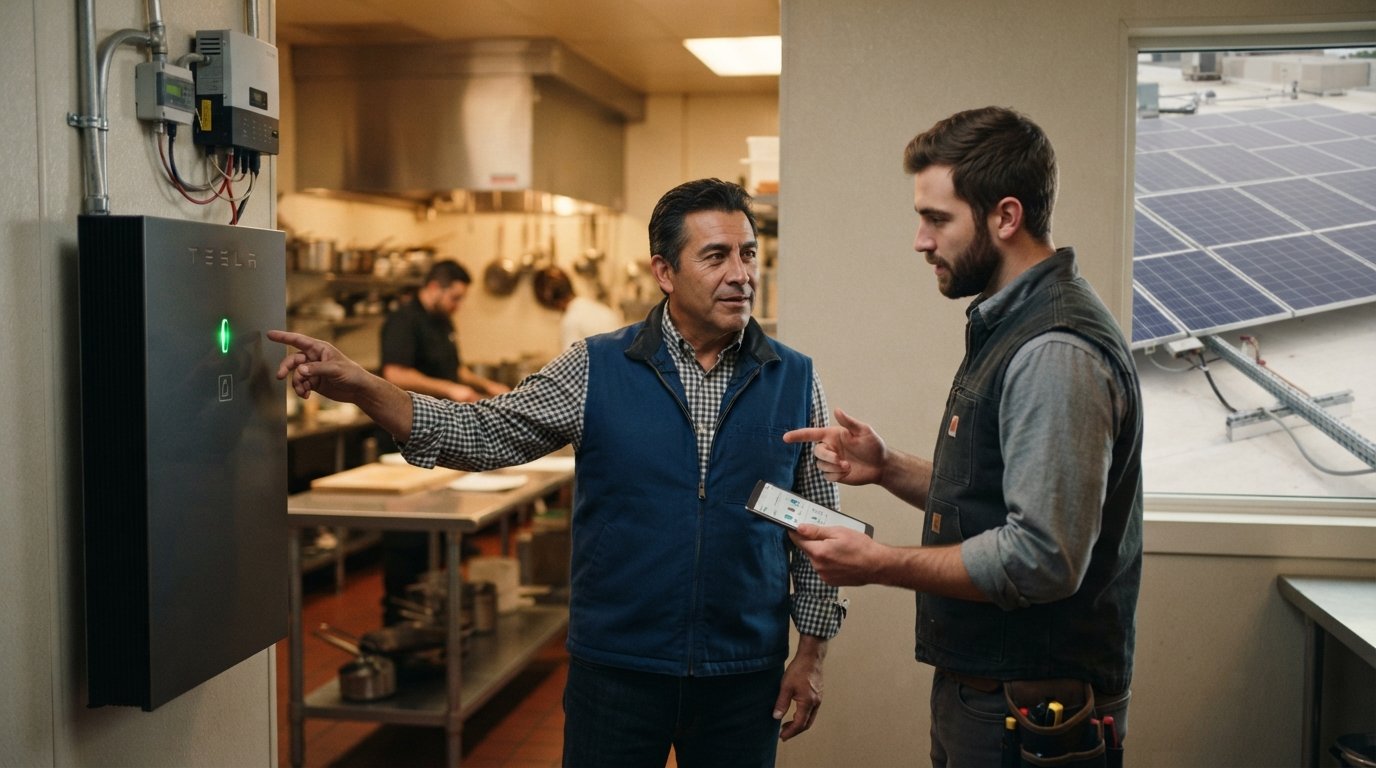
Solar Plus Backup Power for Small Business Continuity
Solar plus backup power keeps your business running during outages. Call (833)-212-3715 to size a resilient system.

By Caleb Hayes
Learn more about Solar Panel Installation and Repair for guides, costs, and what to expect.
Compare Solar Panel Installation and Repair Pros Near You

Enter your ZIP code to compare top-rated local professionals and request free quotes.
When the grid goes down, a small business does not just lose electricity. It loses transactions, customer trust, perishable inventory, security system uptime, and the ability to communicate with clients. For a restaurant, a single four-hour outage can spoil thousands of dollars in food. For a dental office, a canceled afternoon of appointments can cost more than a month of energy bills. For a remote-work-dependent consultancy, every minute offline erodes credibility. Solar plus backup power for small business continuity is not a luxury for the environmentally minded; it is an operational insurance policy that also happens to reduce your electric bill every day the grid is up.
The challenge is that most small business owners are sold either solar alone or a generator alone, and neither solves the full problem. Solar without storage shuts down during a blackout for safety reasons. A generator keeps the lights on but burns fuel, requires maintenance, and fails silently if not tested. The combination of solar and battery storage, properly sized and interconnected, delivers silent, automatic, fuel-free backup while also cutting demand charges and time-of-use costs. This guide walks through the practical decisions: which loads to prioritize, how to size storage, how to compare backup architectures, what utility rules apply, how to justify the investment using downtime costs, and how to keep the system ready when you need it most.
Which Loads Must Stay On, and How to Size Storage Around Them
The first mistake in backup planning is trying to back up everything. A small business has three load tiers: critical, essential, and deferrable. Critical loads keep the business legally open and safe (refrigeration for food safety, servers and point-of-sale, security cameras, emergency lighting, medical refrigeration). Essential loads keep revenue flowing (workstation outlets, internet routers, phone systems, a few overhead lights). Deferrable loads can wait (HVAC in mild weather, decorative lighting, EV chargers, non-essential signage). Sizing storage for the full panel is expensive and wasteful; sizing it for critical plus essential loads is usually affordable and sufficient.
Start with a load audit. Pull 12 months of utility bills to find your peak demand in kilowatts and your daily consumption in kilowatt-hours. Then walk the building with a clip-on meter or a licensed electrician to measure actual draw on each circuit. A small cafe might find that refrigeration and POS together draw 3.5 kW continuous, while the espresso machine and oven account for the rest. A law office might discover that servers, phones, and a few workstations total 2 kW, with HVAC representing 60 percent of normal consumption but only a fraction of critical need. The audit produces a backup load profile, which is the number that matters for battery sizing.
Battery capacity is measured in kilowatt-hours, but usable capacity is lower because manufacturers reserve a depth-of-discharge margin to protect battery health. A 13.5 kWh battery with 90 percent usable capacity gives about 12.1 kWh of backup energy. If your critical load averages 2 kW, that battery runs roughly six hours. Add a second battery and you approach a full business day. For most small businesses, a backup target of 8 to 12 hours of critical load is a sensible starting point, with the option to add capacity later. Keep in mind that startup surges from motors (refrigerators, compressors, pumps) can be two to three times running watts, so the inverter must handle surge, not just continuous output.
Here is a practical sequence for sizing storage around continuity:
- List every circuit and label it critical, essential, or deferrable.
- Measure or estimate continuous watts and surge watts for each critical and essential load.
- Multiply continuous watts by the hours you need to operate without sun to get required kilowatt-hours.
- Add 20 to 30 percent headroom for battery degradation and unexpected loads.
- Confirm the inverter's continuous and surge ratings exceed your simultaneous load.
That headroom matters. Batteries lose capacity over time, and a system sized to exactly 100 percent of today's load will fall short in year eight. It also gives you room to add a circuit later, such as a new server rack or a medical device, without replacing the battery. If you operate in a region with frequent multi-day outages, consider a generator as a range extender rather than the primary source. The battery handles the first hours silently and instantly; the generator recharges the battery during longer events. That hybrid approach is often cheaper than buying enough battery for a week of autonomy.
Battery Versus Generator Versus Hybrid Backup
The backup power decision usually comes down to three architectures, and each has a distinct role in small business continuity. A battery-only system is silent, emits no fumes, starts in milliseconds, and requires almost no maintenance. It is ideal for offices, retail, clinics, and any business where customer experience matters during an outage. Its limitation is duration: most small business battery systems provide hours, not days, unless you invest in a large stack. A generator-only system runs as long as fuel is delivered, but it is loud, produces carbon monoxide, needs monthly exercise and annual service, and takes 10 to 30 seconds to start. In that gap, computers reboot, POS terminals lose transactions, and sensitive equipment may trip offline.
A hybrid system pairs a battery for instant response and short outages with a generator for extended events. The battery carries the load seamlessly while the generator starts and stabilizes, then the generator recharges the battery and runs the heavier loads. This architecture is common in healthcare, food service, and telecommunications because it combines speed with endurance. The trade-off is complexity and cost: two systems, two maintenance schedules, and a transfer switch that must coordinate both. For many small businesses, the decision comes down to outage frequency and duration. If your utility averages two outages a year lasting under four hours, a battery alone is likely sufficient. If you face storm seasons with multi-day outages, hybrid is the resilient choice.
Solar adds a crucial dimension to either architecture. Without solar, a battery is a finite bucket that empties and stays empty until the grid returns. With solar plus storage, the battery recharges every sunny day, extending backup indefinitely during a long outage as long as the sun returns. That is the core argument for solar plus backup power for small business continuity: the solar array turns a one-time battery reserve into a renewable, self-replenishing supply. It also reduces operating costs year-round through net metering or self-consumption, which improves the payback period. For a deeper comparison of architectures, see our guide on solar plus battery versus generator backup, which walks through cost, noise, maintenance, and fuel dependencies in detail.
One more factor: fuel and noise. Generators depend on propane, natural gas, or diesel, and fuel deliveries can be disrupted in the same storm that caused the outage. Battery systems depend on sunlight and grid charging, both of which are more predictable. Noise matters too: a generator running outside a restaurant patio or a medical office can disturb customers and neighbors, and some leases or local ordinances restrict runtime. Batteries are silent, which is why they are often the preferred choice for customer-facing businesses even when a generator would be cheaper per kilowatt-hour of backup.
Utility Interconnection Rules for Outage-Capable Systems
Solar plus backup power for small business continuity is not a plug-and-play installation. Utilities regulate how systems connect to the grid, and the rules differ for systems that can operate during an outage. The key concept is anti-islanding: a grid-tied solar inverter must shut down when the grid goes down so it does not backfeed power onto lines where utility workers are making repairs. A battery-backed system with a dedicated backup panel and a transfer mechanism can isolate your building from the grid and continue operating, which is why it requires additional review and equipment.
Most utilities require an interconnection application before installation, and the review can take weeks to months. The application typically asks for the inverter model, battery capacity, backup load panel details, and a single-line diagram showing how the system disconnects from the grid. Some utilities impose size limits based on your service transformer or feeder capacity, and some require a visible lockable disconnect. In areas with high solar penetration, utilities may also require smart inverters with grid-support functions. Failing to secure approval before installation can delay your project or force costly changes, so make interconnection part of the early design conversation, not an afterthought.
There is also a practical distinction between whole-building backup and partial backup. Whole-building backup requires a transfer switch rated for your service entrance and a battery inverter large enough to carry the entire panel, which is expensive for most small businesses. Partial backup, also called critical-load backup, uses a subpanel that feeds only the circuits you need during an outage. It is cheaper, simpler to permit, and easier to expand. Many utilities and inspectors are more comfortable with partial backup because the backup boundary is clearly defined. For most small businesses, partial backup plus a plan to add capacity later is the pragmatic path.
Permitting and inspection add another layer. Electrical permits, building permits for battery placement, and fire code clearances for lithium-ion storage all apply. Batteries must be installed with proper clearances, ventilation, and sometimes fire-rated separation from occupied spaces. Your installer should handle these details, but you should confirm they have experience with your local jurisdiction. A system that is not permitted and inspected can void warranties and create insurance problems, which defeats the purpose of investing in continuity.
The Cost of Downtime as Part of the Investment Case
Solar plus backup power for small business continuity is easier to justify when you calculate what an outage actually costs. Downtime cost is not just lost sales; it includes spoiled inventory, overtime to recover, customer defection, reputational damage, and in some industries, regulatory penalties. A simple framework helps: estimate lost revenue per hour, add spoilage and labor costs, then multiply by the number of outage hours you experienced or expect in a year. Compare that annual figure to the incremental cost of backup, not the full cost of solar, because the solar array is already earning returns through energy savings.
Consider a small grocery with $2,000 in hourly sales and $1,500 in refrigerated inventory at risk during a four-hour outage. A single event could cost $9,500 or more once you add staff time and spoiled goods. If outages occur twice a year, the annual exposure approaches $19,000. A battery backup sized for refrigeration and POS might cost $15,000 to $25,000 installed, before incentives, and the solar portion reduces operating costs every day. The investment case becomes compelling when you frame it as insurance with a return, rather than as an equipment purchase. For businesses with lower hourly revenue but high spoilage risk, such as florists or pharmacies, the same logic applies with different numbers.
Financing options improve the math further. The federal investment tax credit for solar and standalone storage, state and utility incentives, and accelerated depreciation for businesses can reduce net cost substantially. Commercial solar loans and property-assessed clean energy programs spread the cost over time, often with payments lower than the energy savings in the early years. Because incentives and financing terms vary by location and change over time, verify current programs with a qualified tax advisor and your utility before finalizing a budget. The point is not to promise a specific payback; it is to show that the downtime-avoidance value often covers the incremental cost of storage within a few outage seasons.
There is also a revenue upside. Businesses that can stay open during a regional outage capture customers who cannot go elsewhere. A gas station with backup power, a pharmacy with refrigeration, or a restaurant with lights and POS becomes the default choice when the neighborhood goes dark. That resilience premium is hard to quantify but real, especially in storm-prone markets. It also supports insurance negotiations: some insurers offer favorable terms for documented backup power, and continuity planning can reduce business interruption premiums. When you combine energy savings, outage avoidance, and resilience-driven revenue, the total value proposition is stronger than any single line item.
Monitoring and Testing Backup Readiness
A backup system that is not monitored and tested is a false sense of security. Batteries can develop faults, inverters can trip offline, and settings can drift after firmware updates. Small business owners need a simple readiness routine: automated monitoring that alerts you to faults, a monthly check of state-of-charge and system status, and an annual full-load test that simulates an outage. Most modern battery systems include a mobile app or web portal with remote diagnostics, and your installer can often monitor the system on your behalf. The key is to assign responsibility to a specific person and put it on the calendar.
Monitoring should cover more than the battery. Track solar production, battery state of charge, grid status, and backup load status. Set alerts for when the battery drops below a threshold, when the inverter reports an error, or when the system switches to backup mode unexpectedly. If your system includes a generator, monitor runtime hours, fuel levels, and exercise logs. A simple monthly checklist keeps the system trustworthy:
- Confirm the battery is at or above its target state of charge.
- Review the monitoring dashboard for faults or warnings.
- Verify that critical circuits are still assigned to the backup panel.
- Check that the transfer switch and disconnects are in the correct position.
- Log the results so you can spot trends over time.
Annual testing should go beyond observation. Simulate an outage by opening the main breaker or using the system's test mode, then confirm that critical loads stay on and the battery discharges as expected. Time how long the battery lasts under real load, and compare it to your design target. This test reveals degradation, wiring problems, and configuration errors before a real outage does. If your business has seasonal load changes, repeat the test at the start of peak season. Document the results for insurance and continuity planning purposes.
Finally, think about people and process. A backup system protects equipment, but continuity depends on staff knowing what to do. Train employees on which circuits are backed up, how to shut down non-essential equipment to extend battery life, and who to call if the system alarms. Keep a printed contact list and a simple outage playbook. If your business operates across multiple sites, standardize the monitoring and testing routine so every location is equally ready. And if you are planning a move or expansion, factor backup power into the site selection checklist, much like you would use moving and relocation resources to plan logistics, because continuity planning starts before the first box is packed.
Solar plus backup power for small business continuity works best when it is treated as an operational system, not a one-time purchase. Size storage around the loads that keep you open, choose the backup architecture that matches your outage profile, respect utility interconnection rules, justify the investment with downtime costs, and keep the system tested and monitored. When those pieces are in place, a small business gains something rare: the confidence to keep serving customers no matter what the grid does.